
Keep the connector. Change the editor behind it.
Nextcloud, Mattermost, ownCloud, Seafile, Alfresco, Moodle, Confluence, Jira, Redmine and many more ship a connector for ONLYOFFICE Docs: an administrator enters a server address and a secret, and files open in the browser. The SumOffice compatibility server answers that same API. Point the connector at it, and .docx opens in SumDoc, .xlsx / .xlsm / .xlsb in SumSheet and .pptx in SumSlide — every save goes back to your system as a new version. Nothing in your system is patched.
What you get
| One container | The compatibility server speaks the ONLYOFFICE Docs API to your system — the editor script, the command service, the conversion service, JWT both ways, save callbacks — and serves the three editors behind one address. Images for linux/amd64 and linux/arm64. |
|---|---|
| Your files stay yours | The server downloads a document when someone opens it, holds it while people edit and hands every save back to your system. Accounts, permissions and version history stay where they are. |
| WOPI systems too | FileCloud, OpenCloud and ownCloud Infinite Scale talk WOPI instead: the same server publishes one discovery address for all three editors. |
| Not counted | People, documents, clicks. Evaluation is free with no time limit; production inside an organization is the per-application license. |
Three steps
1. Run the server
docker pull hissih/sumoffice-compat:2026.4.0.1
# the kit's docker-compose.yml runs the server and the three editors behind one port
JWT_SECRET=$(openssl rand -hex 24) docker compose up -d
docker compose exec compat node /app/compat-doctor.mjs --server http://127.0.0.1:8080 --secret "$JWT_SECRET"
The doctor runs exactly what connectors run when you press Save in their settings: the health check, the signed version command, the refusal of an unsigned one, and a test conversion with the result downloaded. Four green checks, and your system will accept the address.
2. Enter the address and the secret in your connector
Open the ONLYOFFICE settings of your system — the place where the document server address used to be. Enter the compatibility server’s https address and the same secret, then save: the connector checks the connection itself. Nothing else changes; accounts, permissions and versions stay in your system.
3. Open a file
Click the usual open button in your system. A .docx opens in SumDoc, an .xlsx, .xlsm or .xlsb in SumSheet, a .pptx in SumSlide — right inside the system’s page. Every save goes back to the system as a new version of the file.
Put the server under the same site as your system — cloud.example.com and office.example.com — and serve it over https: the editors run inside your system’s page and need a secure, first-party context there.
Systems
| System | Connector | Talks |
|---|---|---|
| Nextcloud | ONLYOFFICE app from the Nextcloud app store | ONLYOFFICE API |
| ownCloud | ONLYOFFICE app from Market | ONLYOFFICE API |
| Seafile | built into Seahub | ONLYOFFICE API |
| Odoo | ONLYOFFICE app | ONLYOFFICE API |
| Moodle | ONLYOFFICE activity module | ONLYOFFICE API |
| WordPress | ONLYOFFICE Docs plugin | ONLYOFFICE API |
| Mattermost | ONLYOFFICE plugin | ONLYOFFICE API |
| Alfresco | ONLYOFFICE modules | ONLYOFFICE API |
| Confluence Server / Data Center | ONLYOFFICE Connector | ONLYOFFICE API |
| Jira Server / Data Center | ONLYOFFICE Connector | ONLYOFFICE API |
| Redmine | onlyoffice_redmine plugin | ONLYOFFICE API |
| SharePoint Server | ONLYOFFICE solution (.wsp) | ONLYOFFICE API |
| SuiteCRM | ONLYOFFICE module | ONLYOFFICE API |
| Liferay | ONLYOFFICE module | ONLYOFFICE API |
| Drupal | ONLYOFFICE module | ONLYOFFICE API |
| HumHub | ONLYOFFICE module | ONLYOFFICE API |
| Plone | ONLYOFFICE add-on | ONLYOFFICE API |
| Nuxeo | ONLYOFFICE add-on | ONLYOFFICE API |
| Strapi | ONLYOFFICE plugin | ONLYOFFICE API |
| Chamilo | built in | ONLYOFFICE API |
| CommuniGate Pro | ONLYOFFICE integration | ONLYOFFICE API |
| XWiki | ONLYOFFICE extension | ONLYOFFICE API |
| eXo Platform | ONLYOFFICE add-on | ONLYOFFICE API |
| Pydio | ONLYOFFICE plugin | ONLYOFFICE API |
| PowerFolder | ONLYOFFICE integration | ONLYOFFICE API |
| OpenOlat | ONLYOFFICE integration | ONLYOFFICE API |
| agorum core | ONLYOFFICE integration | ONLYOFFICE API |
| enaio | ONLYOFFICE integration | ONLYOFFICE API |
| Jalios | ONLYOFFICE module | ONLYOFFICE API |
| Maarch Courrier | ONLYOFFICE integration | ONLYOFFICE API |
| DzzOffice | ONLYOFFICE integration | ONLYOFFICE API |
| FlinkISO | ONLYOFFICE integration | ONLYOFFICE API |
| NEO and ONE (Edifice) | ONLYOFFICE integration | ONLYOFFICE API |
| Pintexx Workplace | ONLYOFFICE integration | ONLYOFFICE API |
| Quasaro | ONLYOFFICE integration | ONLYOFFICE API |
| Talkspirit | ONLYOFFICE integration | ONLYOFFICE API |
| WebWeaver | ONLYOFFICE integration | ONLYOFFICE API |
| WeDoc (Jamespot) | ONLYOFFICE integration | ONLYOFFICE API |
| Trello | ONLYOFFICE Power-Up* | ONLYOFFICE API |
| monday.com | ONLYOFFICE app* | ONLYOFFICE API |
| Pipedrive | ONLYOFFICE app* | ONLYOFFICE API |
| Box | ONLYOFFICE integration* | ONLYOFFICE API |
| Dropbox | ONLYOFFICE integration* | ONLYOFFICE API |
| Zoom | ONLYOFFICE app* | ONLYOFFICE API |
| Zapier | ONLYOFFICE integration* | ONLYOFFICE API |
| Telegram | ONLYOFFICE bot* | ONLYOFFICE API |
| FileCloud | built in (WOPI) | WOPI |
| OpenKM | built in (WOPI) | WOPI |
| OpenCloud | collaboration service (WOPI) | WOPI |
| ownCloud Infinite Scale | collaboration service (WOPI) | WOPI |
* Cloud services call the document server from the internet: the compatibility server needs a public https address for them.
Record: Mattermost
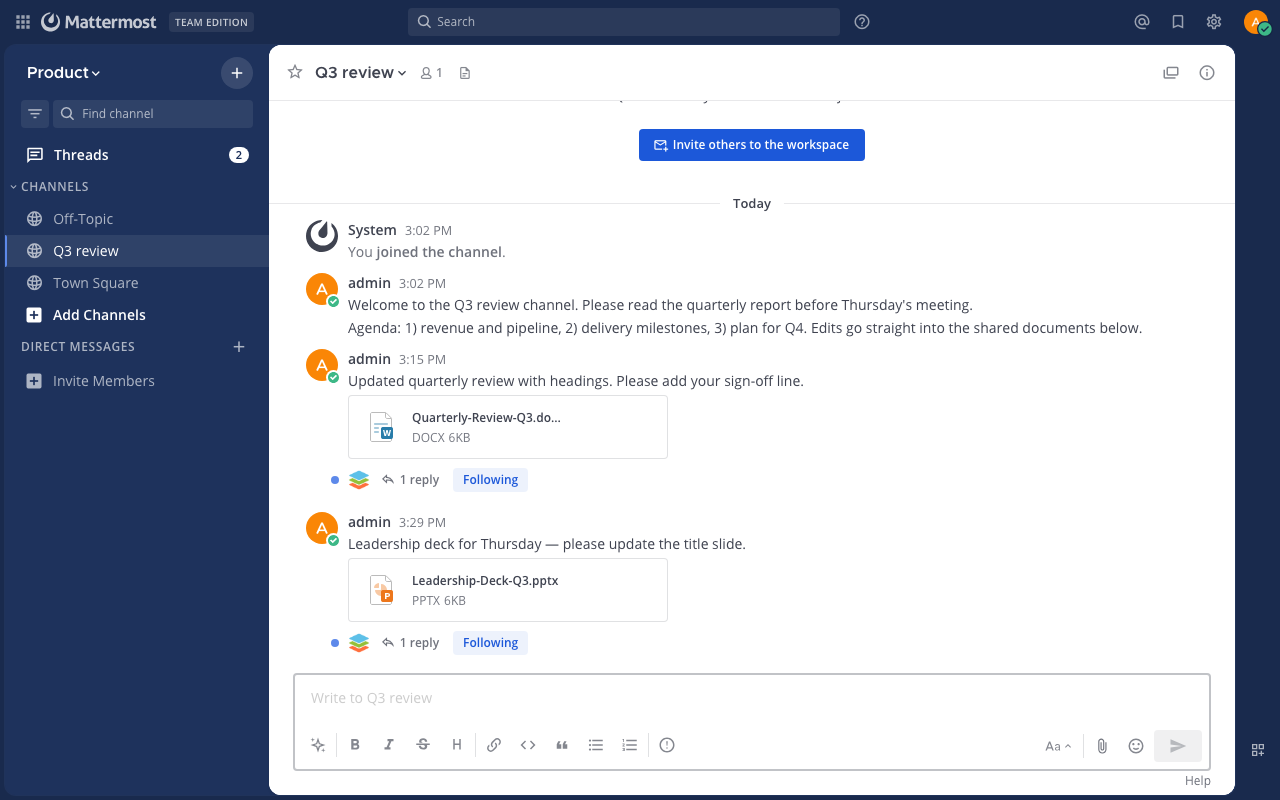
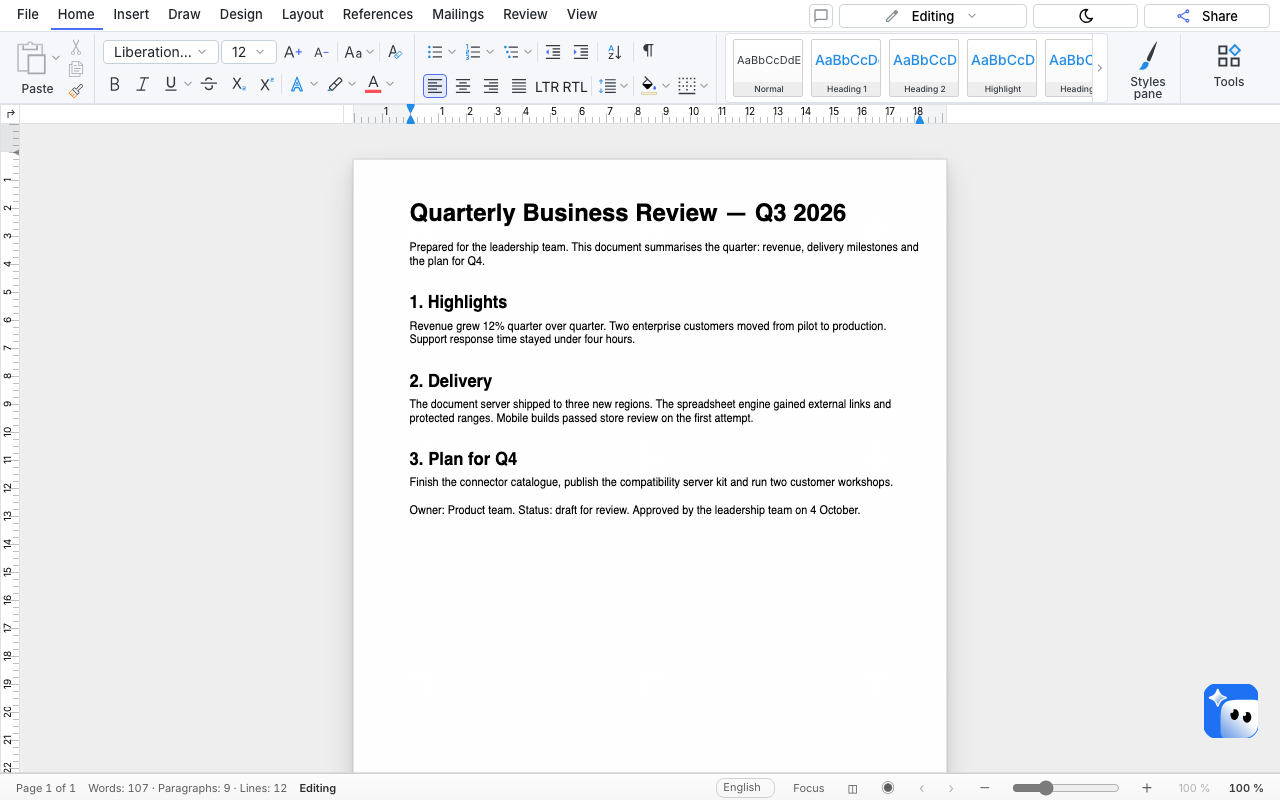
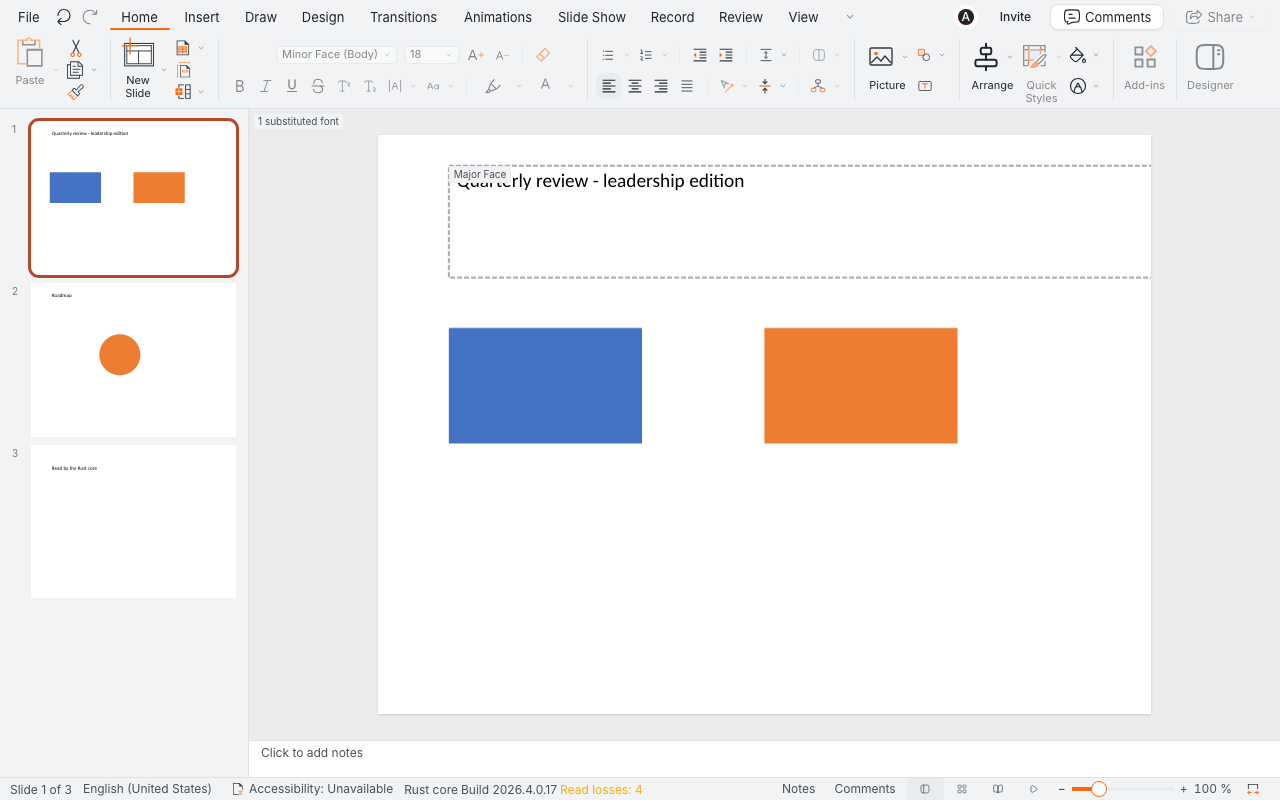
Mattermost 11.11.1 Team Edition with the ONLYOFFICE plugin 2.3.0, unmodified. Plugin settings: the server address, the shared secret, and the plugin’s default JWT header AuthorizationJWT. A DOCX attachment in a channel opens in SumDoc; a sign-off line is typed and saved; the plugin confirms the save under the attachment, and the file in Mattermost carries the line. The same with a PPTX attachment in SumSlide.
Record: Nextcloud
Nextcloud 35.0.1 with the ONLYOFFICE app 10.2.1 from the app store, configured the standard way. The app’s own connection check passes (“version 8.3.1.1 is successfully connected”). A DOCX opened from Files in SumDoc and an XLSX in SumSheet: typed, saved, and a new file version appears in Nextcloud with the edit inside it. Prefer Nextcloud’s own Office app? That path is measured too — Excel and Word in Nextcloud.
- Tell us which system and connector you run — we will say plainly whether it is measured yet.
- Systems that talk WOPI →